OptiDress vs Genlook: try-on on an avatar, or on a photo?
OptiDress and Genlook both let a fashion store's visitors see a garment worn before buying. The difference lies in the mechanism: Genlook generates the image from a photo uploaded by the visitor; OptiDress builds a digital twin from their physical characteristics, without any photo. This page compares both solutions factually. Information verified in August 2026 from each vendor's public communications.
The photo, or no photo at all.
Genlook works by upload: visitors add a photo of themselves (or take a selfie), and the tool generates within seconds an image of the garment worn on that photo. The approach is quick to set up for the merchant, and the visual result is immediate for visitors willing to provide a photo. Photos are automatically deleted after 7 days: for any new session beyond that period, the visitor starts over.
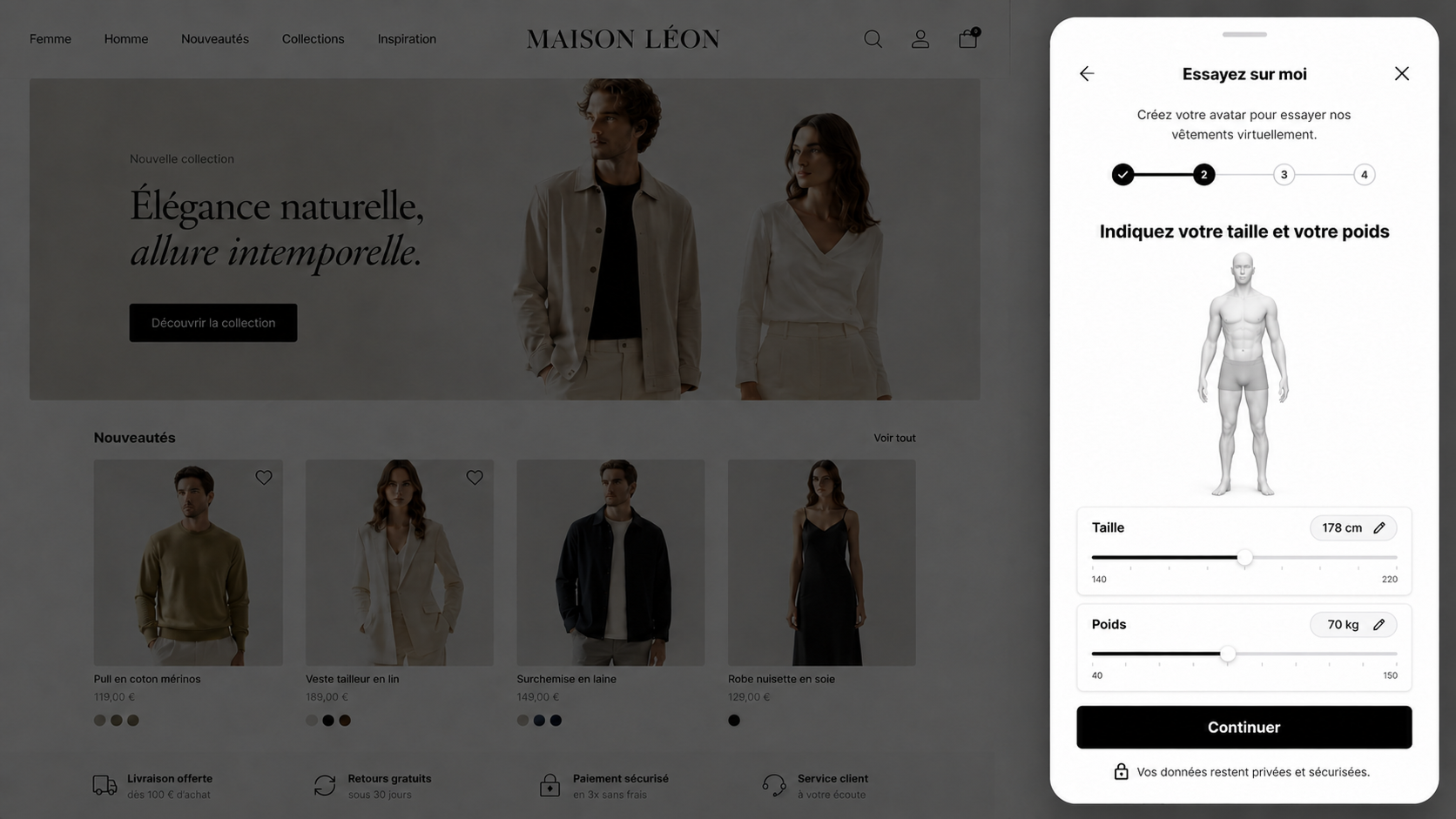
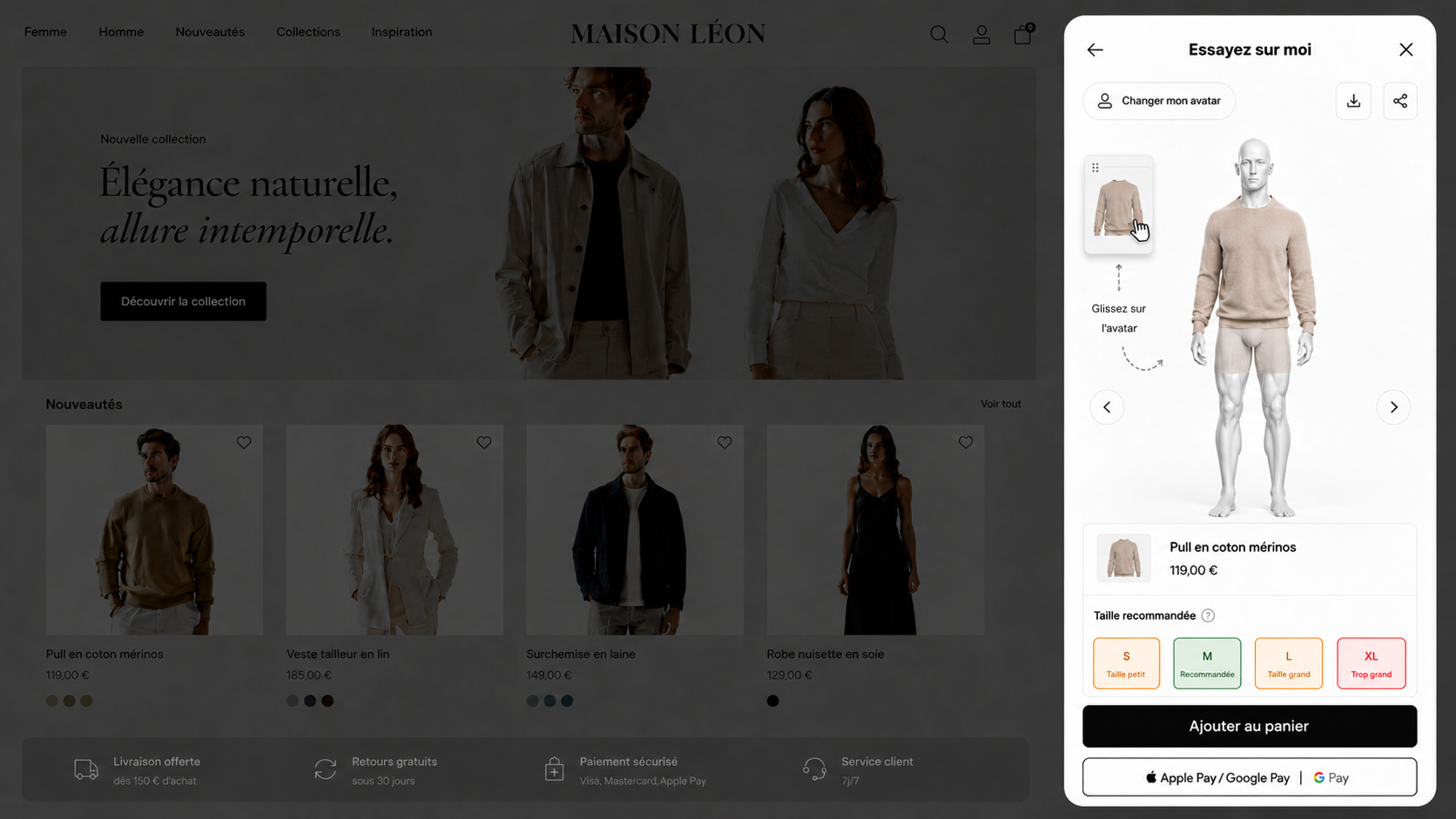
OptiDress asks for no photo. Visitors provide their physical characteristics (height, weight, body type and, if they wish, their measurements) and their digital twin is generated within seconds, then kept for 30 days on the store. This choice answers two structural limits of the photo: not every visitor is willing to photograph themselves while shopping, and a photo does not directly provide the measurements OptiDress bases its size recommendation on. That declared-data foundation is what lets OptiSize recommend the size to order, product by product.
Comparison table.
| OptiDress | Genlook | |
|---|---|---|
| Visualization principle | Personal digital twin, no photo | Image generated from a photo uploaded by the visitor |
| Data asked from the visitor | Declared physical characteristics (height, weight, body type, optional measurements) | Photo or selfie |
| Personalized size recommendation | Yes, native (OptiSize): recommended size product by product, with a fit description | Not documented at publication date* |
| Persistence | Avatar kept for 30 days on the store | Photos automatically deleted after 7 days |
| Platforms | Shopify (App Store), WooCommerce, SHOPLINE, Magento, PrestaShop, BigCommerce, Wix, Squarespace, Webflow, Shopware, Salesforce, Centra, custom-built sites; native Shopify app, WordPress plugin, universal script elsewhere | Native Shopify app; WooCommerce, PrestaShop and other platforms via widget and API |
| Pricing | Four monthly plans, from a free plan with 10 try-ons to a plan with 2,500 try-ons included. Beyond the quota, each additional try-on is billed at a rate that decreases with the plan. No commitment. | Published plans: limited free tier, then monthly tiers with a generation quota and per-generation billing for overages |
| Target segment | Fashion brands of all sizes | Small Shopify DTC stores first and foremost |
*At publication date, based on Genlook's documentation and public communications. 29 September 2026.
When Genlook is the right choice.
Genlook is a light, accessible solution. A small Shopify store that wants to quickly check its visitors' appetite for visualization, with no need for size recommendation, will find a simple entry point there.
When OptiDress is the right choice.
OptiDress is aimed at brands that want to treat the full problem: the look and the size. No photo lowers the barrier for the visitor, the avatar kept for 30 days avoids starting over at every visit, and OptiSize turns visualization into a purchase decision by recommending the exact size. Setup is self-serve on Shopify, with assisted installation by our team on other platforms.
Frequently asked questions.
Do OptiDress and Genlook do the same thing?
Both belong to virtual try-on for online fashion, but the mechanism differs: Genlook generates the image from an uploaded photo; OptiDress builds a digital twin from the visitor's physical characteristics, without any photo, and pairs it with a size recommendation.
Why doesn't OptiDress ask for a photo?
Because a photo limits usage (not every visitor is willing to photograph themselves while shopping) and does not directly provide the measurements OptiDress bases its size recommendation on. Declared characteristics enable both: visualization and recommendation.
Do visitors have to recreate their avatar at every visit?
No. The OptiDress avatar is kept for 30 days on the store: returning visitors find their digital twin and try on right away.
Can I try OptiDress before choosing?
Yes: the Maison Léon demo store is freely accessible, and a personalized 20-minute demo is available with no commitment.
Does the photo change my GDPR obligations?
A photo of the shopper is personal data, and the brand collecting it on its store is the controller: it has to record the processing, inform the shopper, set a retention period and handle deletion requests. OptiDress requests, uploads and processes no photograph: the service relies solely on data the shopper declares. The brand's obligations then cover declared body measurements rather than the image of an identifiable person.

See also: OptiDress vs Veesual · OptiDress vs Kleep · Virtual try-on apps for Shopify · Size recommendation: how to choose a solution
Comparison established in August 2026 from publicly available information (each vendor's sites, documentation and official communications). Genlook is a trademark of Genlook. Information about Genlook may change; report any inaccuracy to contact@optidress.fr.