Virtual try-on with or without a photo: which to choose?
Since December 2025, Zara shoppers in Spain can try clothes on an avatar generated from two photos of themselves (FashionUnited). Inditex has since extended this try-on to all its brands, in 43 markets (FashionUnited). The customer photo has become a well-known way into virtual try-on.
It is not the only one. A fashion brand can choose between three families of tools, which do not ask the same thing of the shopper and do not answer the same question. We build OptiDress, which belongs to the third; the criteria below apply whichever tool you pick.
Three ways to try a garment remotely
- From a customer photo. The tool generates the garment on a photo the shopper uploads or takes on the spot. The result looks realistic, but the shopper has to agree to take a picture in the middle of a purchase.
- With the camera (augmented reality). The product is overlaid on the live camera image. Nothing is uploaded, but the shopper must allow camera access, and the method works better for glasses, make-up or accessories than for clothing.
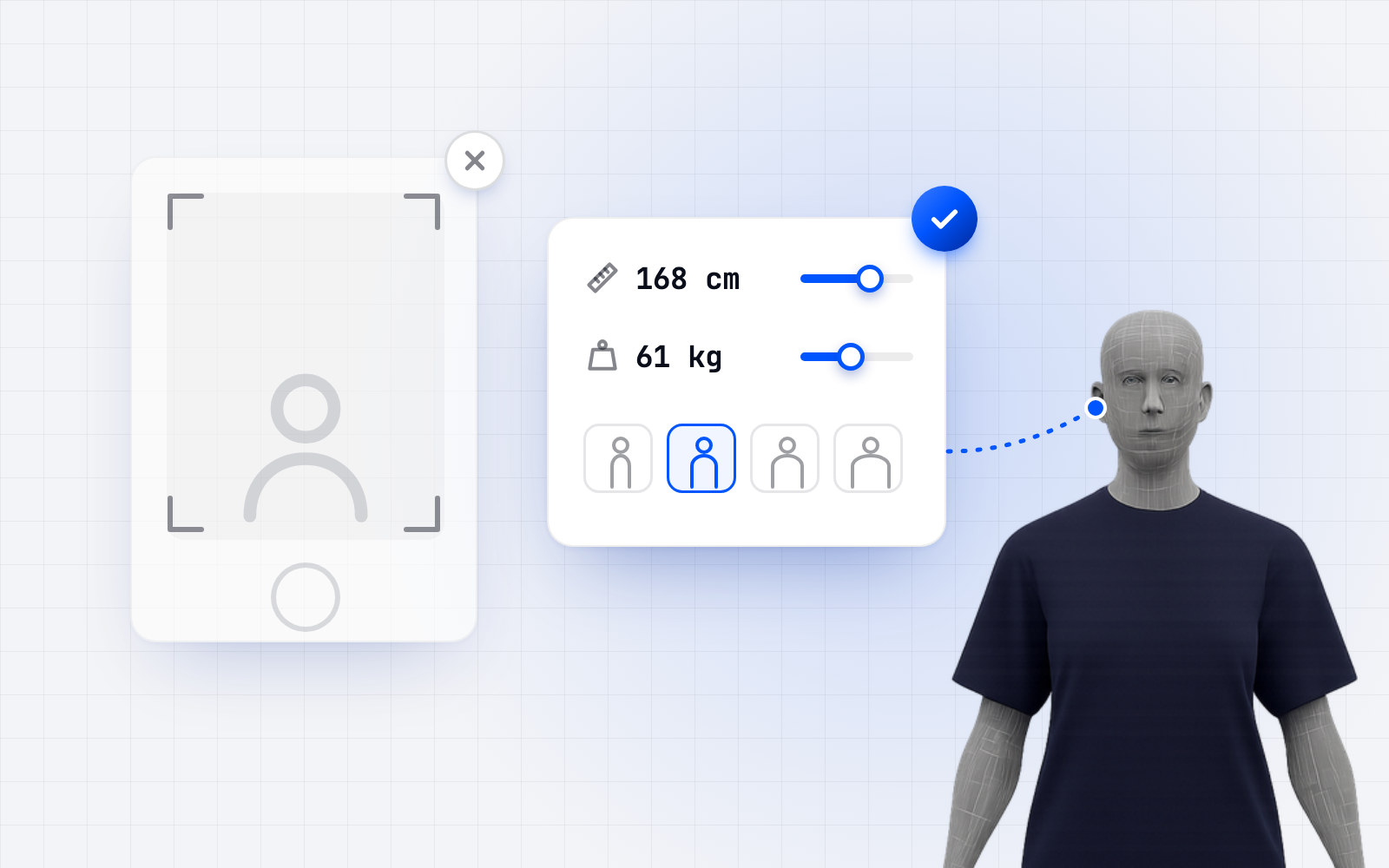
- With an avatar built from measurements. The shopper enters height, weight and body shape; the tool builds a 3D avatar on which they see the garment. No photo, no camera.
What a photo brings, and what it costs
A photo gives the most striking image: shoppers recognise themselves. That is a strong argument for style, colour or the overall look of a piece.
It has two limits. First, effort: the shopper needs the right pose and light, and must be willing to hand over their image. Some visitors stop there. Second, a photo does not give the size: a garment generated on an image can look right on screen while the size chosen is wrong.
Without a photo: size first
An avatar built from declared measurements answers first the question that sends parcels back: which size to buy. Size and fit are the leading cause of online apparel returns: 53% of the apparel brands and retailers surveyed by Coresight Research name them as the top reason, ahead of colour (16%) and damage (10%).
The effort is lower (a few numbers rather than a photo), and no image of the shopper changes hands. The trade-off: the shopper sees an avatar, not their own face.
How to decide
- If your returns come mostly from size, favour a tool that recommends a size for each garment, based on the garment's real measurements.
- If your shoppers hesitate mostly over style or colour, a realistic image of themselves may matter more.
- Either way, look at what the tool asks of the shopper before showing anything: every extra step loses visitors.
- Ask where the data (photos or measurements) goes, how long it is kept and who processes it.
The OptiDress choice
OptiDress chose the photo-free avatar: shoppers declare their measurements, see the garment worn on their 3D digital twin and get the recommended size for each garment, with every size explained. The avatar is kept for 30 days on the store, with no account to create. You can try it on our demo store.
Frequently asked questions.
Does virtual try-on need a photo of the shopper?
No. Some tools start from a photo, others from the camera, others from an avatar built from the measurements the shopper declares, with no image at all.
Can a photo tell which size to buy?
Not on its own: an image shows how a garment looks, not the gap between the shopper's body and the measurements of each size. Size needs body measurements matched with garment measurements.
Does OptiDress ask for a photo?
No. OptiDress builds the avatar from the measurements the shopper declares; no photograph is requested, uploaded or processed.